Minecraft Dungeons II System Requirements
Official PC specs from Steam and the Microsoft Store, with cloud as the backup.
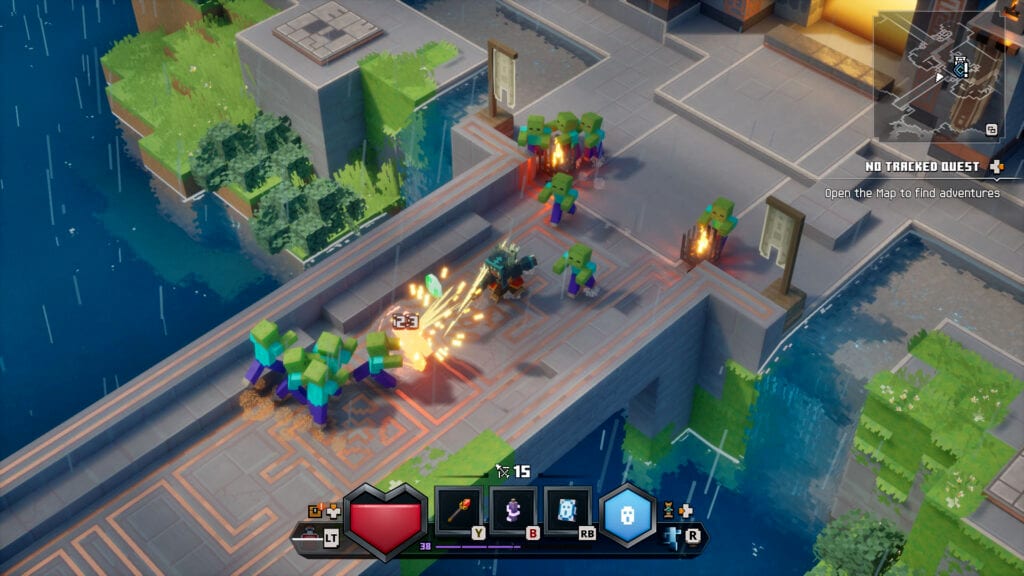
Minecraft Dungeons II is a 2026 ARPG with 2018-shaped PC requirements. That is the good news. The less good news is that isometric lighting, particle-heavy artifacts, and four-player chaos will still melt a laptop that only matches the minimum on paper. This page copies the official tables, then translates them into “will I have a good time?”
Figures come from the Steam page (app 1912410) and the Microsoft Store listing. If those stores disagree after a patch, trust the store you bought from.
Minimum (Windows)
- OS: Windows 10 64-bit version 1703 or newer, or Windows 11
- CPU: Intel Core i3-8100, AMD Ryzen 3 2200G, or equivalent
- RAM: 8 GB
- GPU: NVIDIA GeForce GTX 1050, AMD Radeon RX 560, or equivalent dedicated card with at least 2 GB VRAM
- DirectX: 12 is not required — DirectX 11
- Architecture: x64
Integrated graphics are not in the sentence. “Dedicated” is. A UHD 630 laptop that ran Minecraft Java on low is not a promise here.
Recommended (Windows)
- OS: same as minimum
- CPU: Intel Core i5-8400, AMD Ryzen 5 2600, or equivalent or higher
- RAM: 16 GB
- GPU: NVIDIA GeForce GTX 1060, AMD Radeon RX 580, with at least 6 GB VRAM or equivalent
- DirectX: 11
That recommended card is a decade old on purpose. Mojang wants the sequel on family PCs. You should still prefer the 6 GB VRAM line if you play four-player split-adjacent chaos or if you hate frame hitching when a Copper dash fills the screen with sparks.
How to read these numbers
You are fine if you beat recommended. Pre-load and go read Getting Started.
You are probably fine if you beat minimum but miss recommended — 8 GB RAM and a 2 GB 1050. Expect medium settings, 1080p, and a willingness to drop particles when four artifacts explode. Close Chrome. The 8 GB line is the real trap, not the GPU year.
You should not buy on faith if you are under minimum. Use Xbox Cloud Gaming (listed as a day-one path) or a Series S. Cloud still needs a decent connection. It does not need a 1050.
Handheld PCs: the Microsoft listing says handheld-optimised. Steam Deck verification was not on the public page we copied. Treat Deck as “wait for launch reports,” not as a guaranteed 60 fps claim from this wiki.
Consoles and downloads
You do not need this table on Xbox Series, PS5, or Switch. You need disk space and, for online, a subscription. Switch and Switch 2 listings quote about 6.8 GB. Windows/Xbox store copy has quoted a few hundred megabytes — treat that as a thin install that may grow at pre-load. Make room anyway.
Xbox Play Anywhere: one Microsoft Store / Xbox purchase covers console and PC. Steam is separate. Cloud is the third PC-like screen if the table above scares you. See pre-order for which SKU you actually own.
Settings to try before you refund
There is no official graphics menu screenshot yet. On launch night, in order:
- Cap FPS to your display. VRR if you have it.
- Drop shadows and volumetric extras before you drop resolution. Isometric games read better sharp and 50 fps than muddy and 60.
- If co-op hitches, it is often RAM plus Discord plus Chrome. Close the last two.
- If lightning traces stutter, that is the Copper fight telling you to lower particles, not to buy a 5080 at midnight.
Accessibility, because specs are not the only gate
Microsoft lists no QTEs, single-stick gameplay, text-to-speech / speech-to-text, and colour options. That does not replace a full audit, but it is why a guest controller and a colourblind cousin are in the design. Pair with controls.
If this page’s table says you can run the game, go plan a kit on the loadout planner. If it says you cannot, go cloud or console. The rifts will still be there on September 29.
Frequently Asked Questions
Quick answers to the most common questions.
Can a GTX 1050 run Minecraft Dungeons II?
It is the official minimum with 2 GB VRAM and 8 GB RAM. Expect 1080p medium, not a showcase screenshot.
How much RAM do I need?
8 GB minimum, 16 GB recommended. Four-player sessions plus a browser will punish the 8 GB line.
Does it run on Windows 10?
Yes, 64-bit version 1703 or newer, or Windows 11. DirectX 11 is enough.
What if my PC is below minimum?
Use Xbox Cloud Gaming or a current-gen console. Do not expect a low-spec unofficial port.
Is Steam Deck listed?
Not on the public spec sheet we copied. Wait for launch verification instead of treating this wiki as a Deck badge.